A good and fair substitution plan, without the puzzle.
CoachHelpr proposes the lineup, tracks who plays during the match and shows whether everyone plays enough. One coaches on the pitch, the other the players on the bench. And the swaps? They take care of themselves.
- free for now
- With your fellow coach, at the same time
- Android and iPhone, tablets too
- hockey and football
- No tracking

Sound familiar?
The lineup lives in Excel
The same puzzle every week. And what you did last week is already gone.
Coaching and swapping at the same time is hard
One coaches on the pitch, the other the players on the bench. And the swaps? They take care of themselves. Every player knows exactly how long they still sit on the bench. Does an injury throw your plan off? Then the app adjusts the rest of the match.
A player or parent asks: why so often on the bench?
A good question. Without numbers it is one feeling against another.
How it works
Before, during and after the match.
Before the match
The app proposes the whole match: who plays where and who swaps when. You change what you want and share the lineup with one link.
During the match
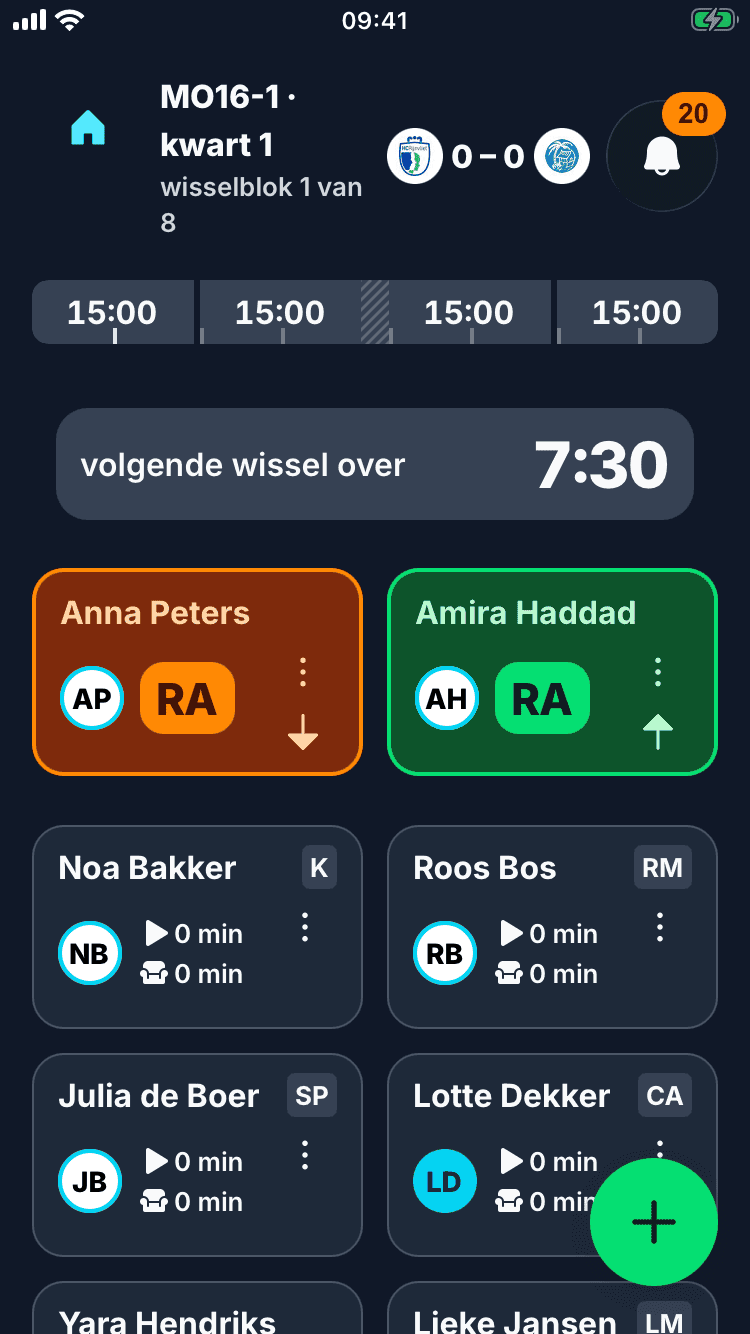
The app counts down to the next swap and gives you a signal beforehand. If everything goes to plan, you do not have to do a thing. If someone drops out, the app adjusts the rest of the match.

After the match
You check whether it went that way. If it did, one tap is enough. The playing time then counts in the season overview. Did not track it during the match? Then you fill it in afterwards.
Coach together, at the same time
Coaching as a pair or with more? Then you all use the app at the same time, each on your own phone or tablet. You see the same lineup, the same clock and the same score. What one of you records shows up for the rest right away.


- invite with a QR code, a link or an email
- the course of the match is the same everywhere
- the same clock on every phone and tablet
- a notice in the app when another coach starts the match
- if two coaches confirm the same swap, it counts once
- share the work: one coaches the pitch, the other the bench, with the coach board at hand
- invite someone to keep the match stats
- put a phone or tablet in the dugout, and players see for themselves when they swap
Everyone in a good spot. And everyone gets a fair turn.
A key player may play a bit more. That is your call. But a player who always plays a little less, or always stands in a spot that does not fit, you only notice late. CoachHelpr shows it per player: the playing time and whether it was in a good spot.
- Favourite spots
- Less favourite spots
- Development position
| Player | Share of playing time | Where that time was made |
|---|---|---|
| Sanne de Vrieskey player | more than their share58% | |
| Mila van Dijkkey player | about their share52% | |
| Noa Bakkerkeeper | about their share51% | |
| Anna Peters | about their share48% | |
| Roos Bosdevelopment position | less than their share46% | |
| Nina Kok | less than their share42% |
The numbers are rounded. Measuring to the second is not needed.
Three things you can count on
You decide
The app makes a proposal and warns when something is off. What you set yourself stays.
Roughly is good enough
On the sideline you have no stopwatch. We count with the substitution plan and what you check after the match. A minute more or less does not matter. A whole season off does.
It is about your players
We keep only what is needed for the lineup and the playing time, such as a name and the positions. Only the coaches of the team see it. Anyone with the link sees the lineup, the score and the goals, with first names and shirt numbers. Injuries and notes are never on it.
Made for the sideline
Sun, rain, gloves and a match that goes on. Big buttons, a signal for every swap and every swap on your lock screen too. Your notifications can go off during the match: on Android the app turns them off, on iPhone a Focus you set up once does. Then your phone can lie open on the bench without a worry.
- the swap on your lock screen too
- a signal 1 to 5 minutes ahead
- big buttons, even with gloves
- also with large text on your phone
- do not disturb during the match
- Android and iPhone, tablets too
On a tablet too
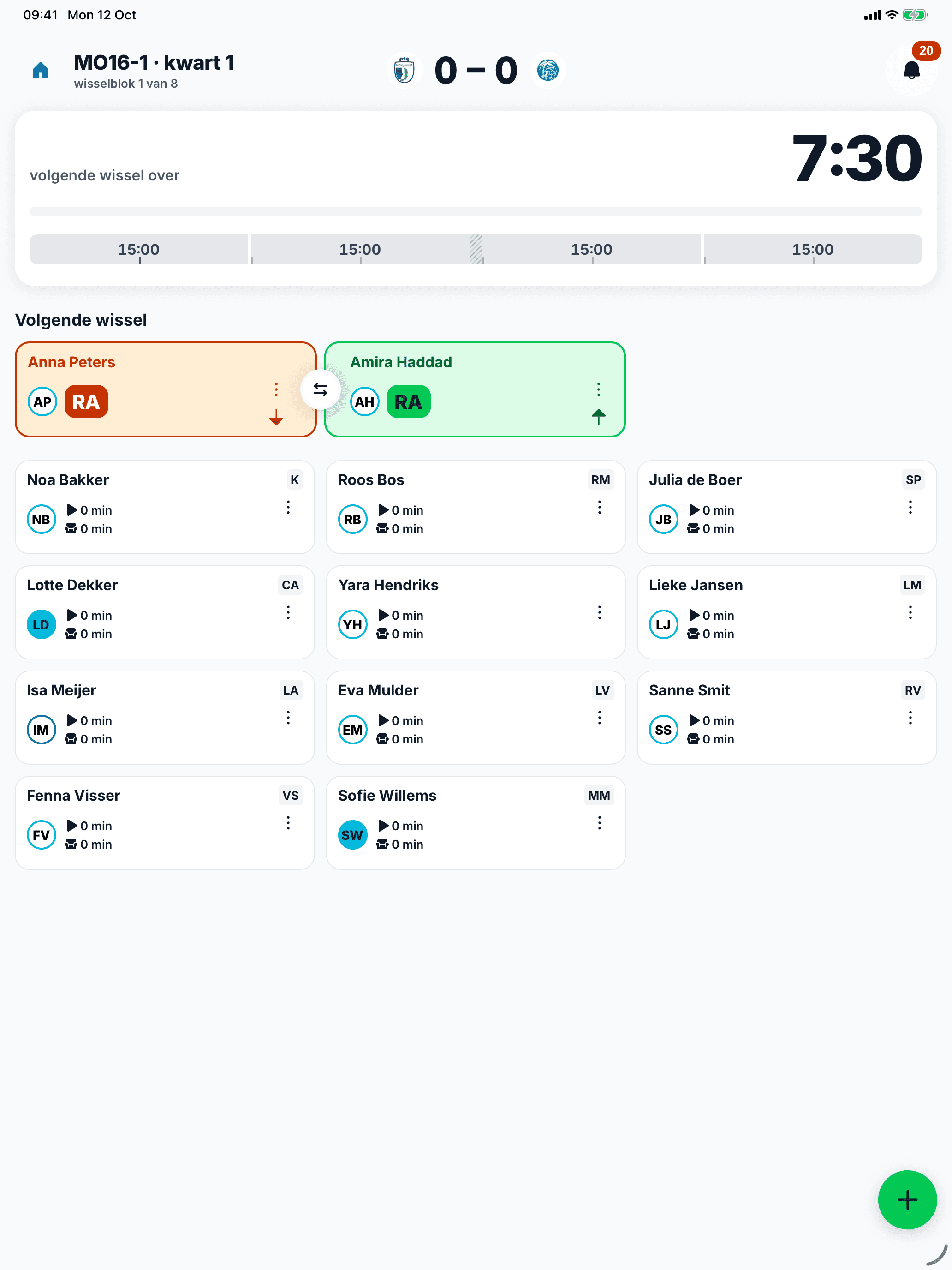
On a tablet you see more at once: the clock and the next swap stay in view while you pick something. Handy in the dugout, with your fellow coach on the phone.
- iPad and Android tablets
- portrait and landscape
- together with a phone in the same match
What else is in it
Your team is in right away
Playing hockey in the Netherlands? Pick your club and your team, and the match schedule is in straight away. Often you fetch the players just as easily. Otherwise you paste a list of names.
Look around first
Try the whole app with a sample team, no account needed. Like it? Then you create your own team.
Your way
Pick the formation, the playing time and the captain per match. Mark key players and development positions, save your usual lineup as the default and decide in the team rules what counts more: the position or fair playing time.
Swaps per line
Give the forwards, the midfield and the defence each their own swap time. If the pressure shifts, you change that time during the match.
Rotating keeper
A different keeper every match? Pick the keeper per match. They keep the whole match and get no less playing time afterwards.
Preparation
One list before the match: attendance, match setup, lineup and swap schedule. Tick off what is done, even without opening the screen.
Goals and cards
Record goals, cards and injuries while you coach. The score keeps up. During a time penalty the app counts one player fewer until the time is up.
Adjust during the match
Change the lineup or the formation, even in the middle of the match. The app then replans the later swaps. If play stops, you pause the clock or set the time right.
The season at a glance
Per player the playing time, the trend, goals and cards, over the whole season or a period you choose. You see the results, and for hockey the standings of your pool too.
Coach board
Before the match, in the break or during it, show what you mean. Move your players, the opponents and the ball across the pitch and draw arrows in four colours. Your lineup stays as it is.
Match report
Type a short report after the match. Parents and teammates read it through the same link as the lineup.
Team agreements
List your team's agreements, in the order you want. They are on the shared link too, unless you turn that off.
Sharing with parents or teammates
Share the match with one link in the group chat. Anyone with the link follows the lineup, the swaps, the score and the goals live, and needs no account. If you change something, it is there right away.

- the lineup, and every swap live
- first name, shirt number or initials
- the score, goals and cards
- the report and the team agreements
- no other personal details
Careful with your players
Players are often children. So we keep only what the lineup and the playing time need, and only the coaches of the team see all of it.
Read the privacy statement- no tracking and no analytics
- we do not sell your data
- no date of birth, photo or contact details
- fitness, injuries and notes never on a link
- servers in the EU that we run ourselves
- you can always delete your account, in the app
What does it cost?
Nothing for now. CoachHelpr is free, so be quick.